AI Quiz Maker



Building a quiz from scratch can take quite a while. Let Marquiz AI create it for you via a text prompt or your website address. In under a minute, you will get an almost-ready lead generation quiz. A couple of tweaks, and you can launch it on your website or as a standalone page.
Marquiz is built with lead generation in mind, so our AI doesn't just invents random questions for fun. It builds quizzes designed to profile your visitors, recommend the right product, and collect contacts you can actually sell to.
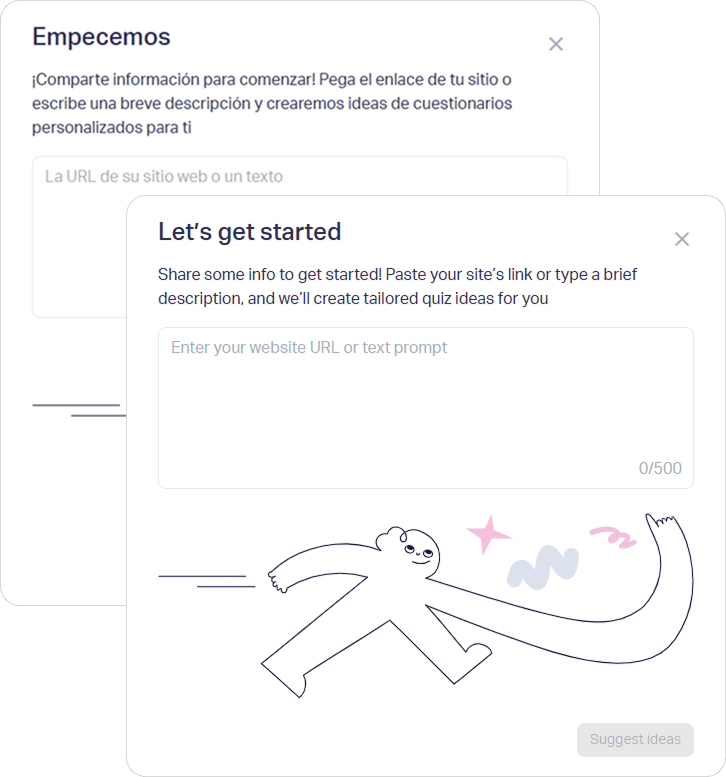
Test Marquiz AI right here
You can try AI quiz generation right on this page. Enter your website address or a brief description of your business in the text field and press the “Generate with AI” button. The prompt limit is 100 characters.
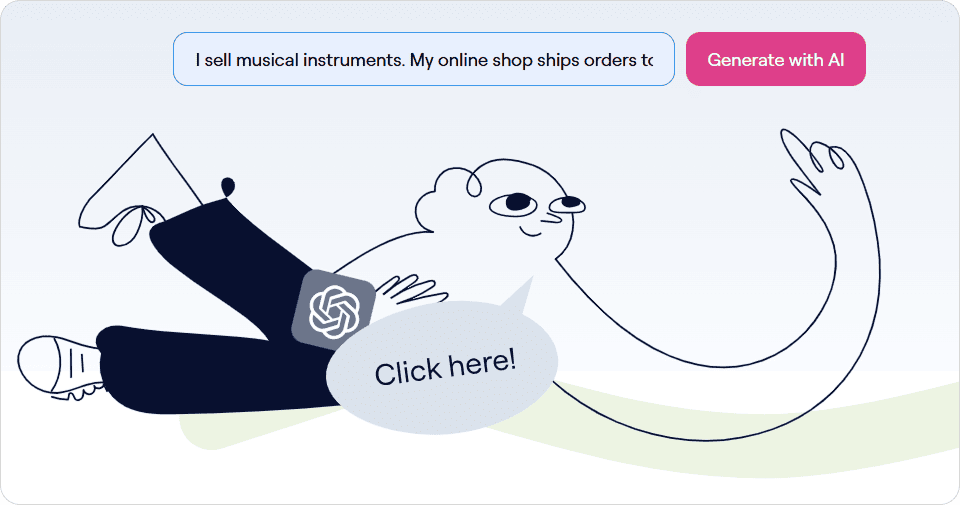
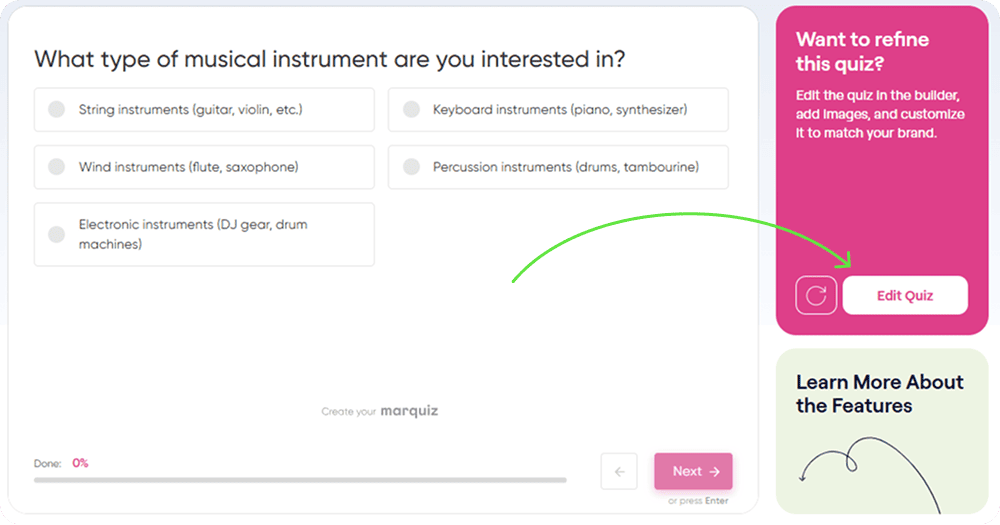
In half a minute, you will see the start page of the freshly generated quiz. You can click through the questions and check if everything is to your liking. To make changes, hit the white “Edit Quiz” button on the right. You will be redirected to the quiz builder, where you can tweak or replace any element.
Sign up for free to unlock more AI features
Create a free account to use our online quiz builder. You’ll get longer prompts, three AI-generated quiz ideas for each query and full control over all the elements.
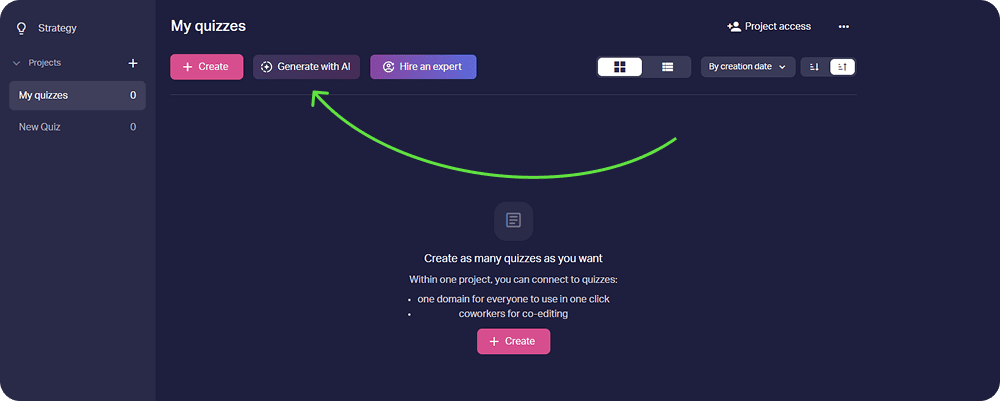
Here’s how to build your first quiz with AI in three steps:
-
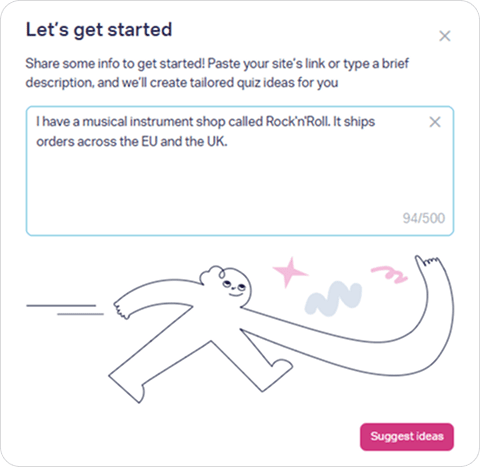
Tell the AI about your business. Paste your website URL or write a short description of up to 500 characters. The more context you give, the sharper the result.
-
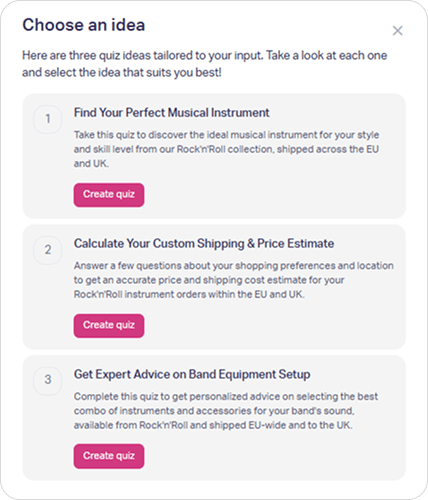
Pick one of three quiz ideas. Marquiz AI suggests three concepts tailored to your niche, each with a different angle. Choose the one that best fits your goal, such as collecting leads, booking calls, or recommending the right product.
-
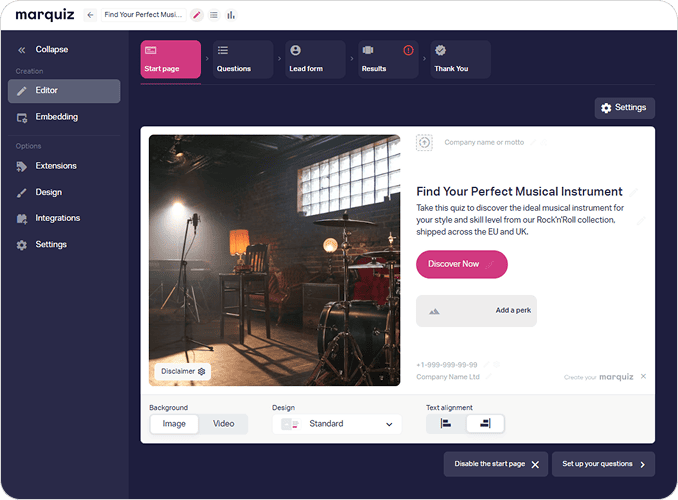
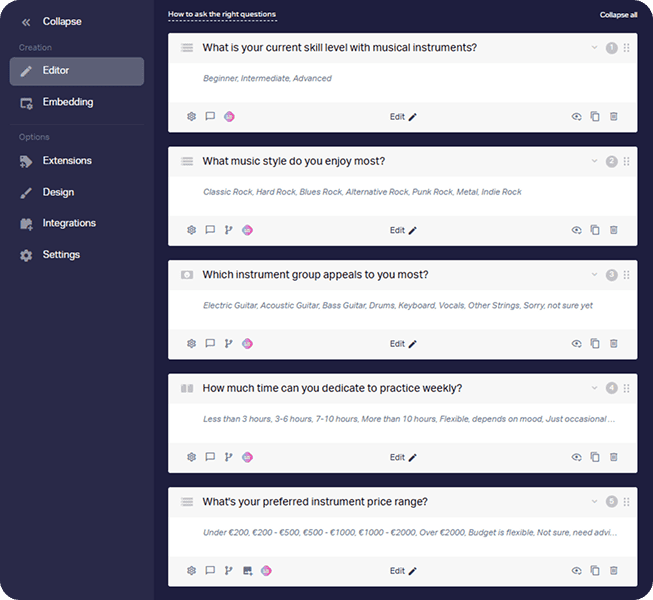
Get a complete quiz. The AI creates the start page, relevant questions with answer options, and the contact form. Open it in the quiz builder, drop in your images, add results, and publish.
New leads start landing in your dashboard as soon as the quiz goes live.
Why marketers build quizzes with AI
- Speed. You start from a working quiz, not an empty screen, so a first draft takes minutes instead of an afternoon.
- Smarter questions. The AI already knows what a lead generation quiz needs, so you skip the “what should I even ask?” stage.
- Better leads. Well-placed questions filter out the wrong people early, so your sales team spends its time on buyers who fit.
- More ideas to test. Our AI is trained specifically on marketing quizzes, so it can suggest a fresh angle whenever you’re stuck.
- Full control. Everything the AI creates is editable. Rewrite a question, reorder the steps, tweak the offer and the perks.
What you can build
The same AI quiz maker adapts to very different goals:
- Product finders that recommend the right item and move shoppers toward checkout
- Service quizzes that qualify prospects before they reach your calendar
- Assessments and knowledge checks that grade answers automatically for onboarding, training, or a bit of fun
- Cost calculators that hand over a personalized estimate in exchange for a contact
One generated quiz can act as a landing page, a segmentation survey, and a contact form at once.
Tweak and connect easily
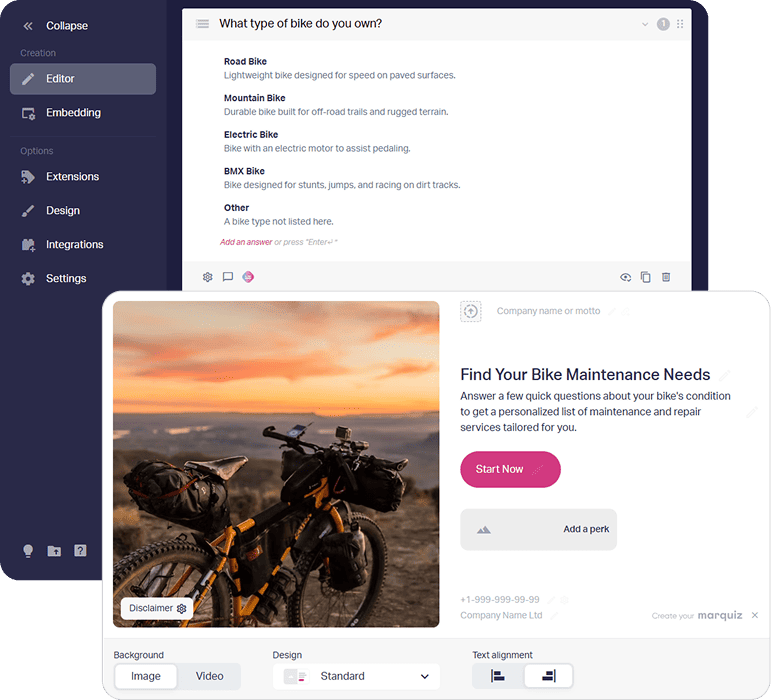
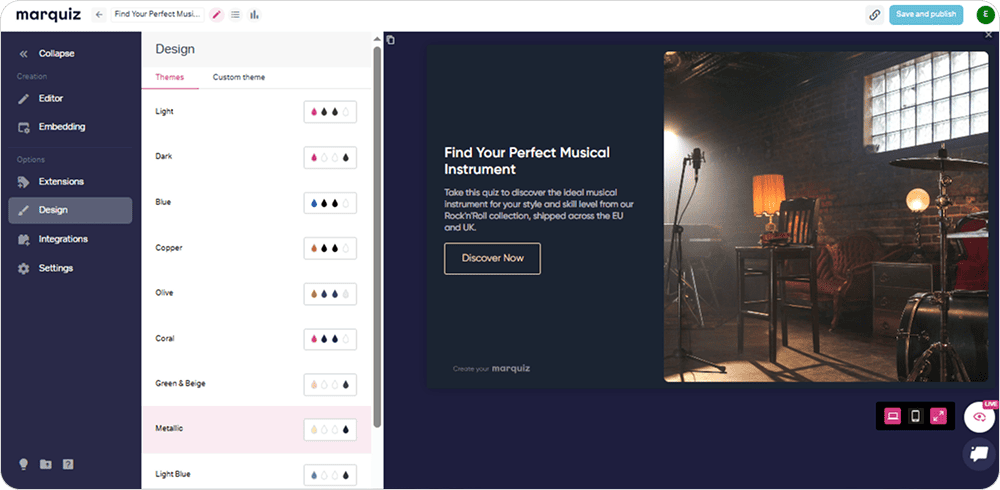
The AI gives you a strong starting point, but you can build on it using the quiz editor. Match the design to your brand’s colors, add images and smart tips to answers, set up branching and connect your integrations.
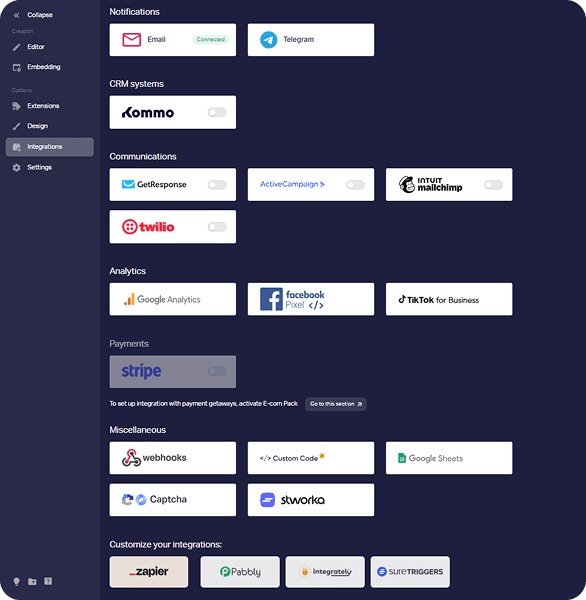
Marquiz works with the tools you already rely on, from CRMs and email platforms to analytics and payment systems, and connectors like Zapier and Pabbly extend that to thousands more apps. Every new lead lands exactly where your team already works.
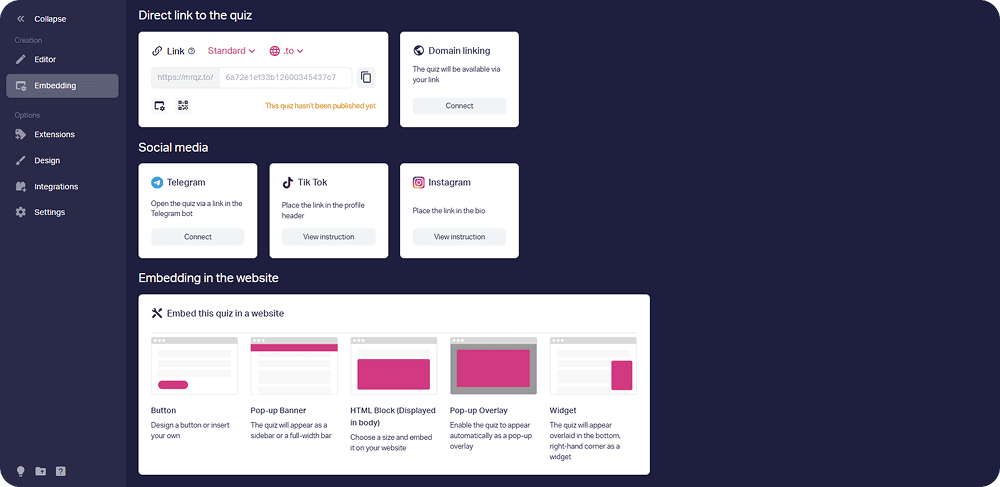
Best of all, launching is fast. Publish in a couple of clicks and share the quiz however you like: a direct link or QR code, a custom domain, or an embed on your website. You can also add the link to your social media posts to reach a wider audience and turn engagement into leads. No coding required.
FAQ

Yes. You can create an account and generate quizzes free of charge. But there is one experimental feature that is available only on paid plans: AI generation of extra answers.
It fetches information from your website or reads the business description you provide and matches it to proven lead generation patterns. From there it drafts relevant questions, answer options, and a contact form.
Up to 500 characters. A sentence or two usually does the job: name your business, what you sell, and who you sell it to. The more specific you are, the sharper the quiz.
Absolutely. The generated quiz opens in the Marquiz builder, where you can rewrite questions, change their order, adjust the design, add images, and rework the final offer. Nothing is locked.
Yes. Marquiz is built for marketing quizzes, but the same generator works for knowledge tests, assessments, and onboarding checks. Set up scoring and add result pages in the quiz builder to grade answers automatically.
No. The AI handles the structure and the copy, and the quiz builder is drag-and-drop. If you can describe your business in a sentence, you can launch a quiz.
Four languages are available at the moment: English, German, Spanish, and Portuguese. Switch the interface to the required language in your profile settings, and the AI generator will adapt accordingly. You can fine-tune any wording in the builder afterward.